Write. Calculate. Present. Sign. One workspace for real work.

WorkCraft is a unified, local-first workspace. Documents, spreadsheets, presentations and PDFs open side by side in one window, and a private AI assistant works across all of them. It runs on Windows, macOS, Linux and iPad, and your files stay on your device unless you decide otherwise.

Open source under MIT or Apache-2.0. No account, no upload, no telemetry.

Everything you work on, in one place.

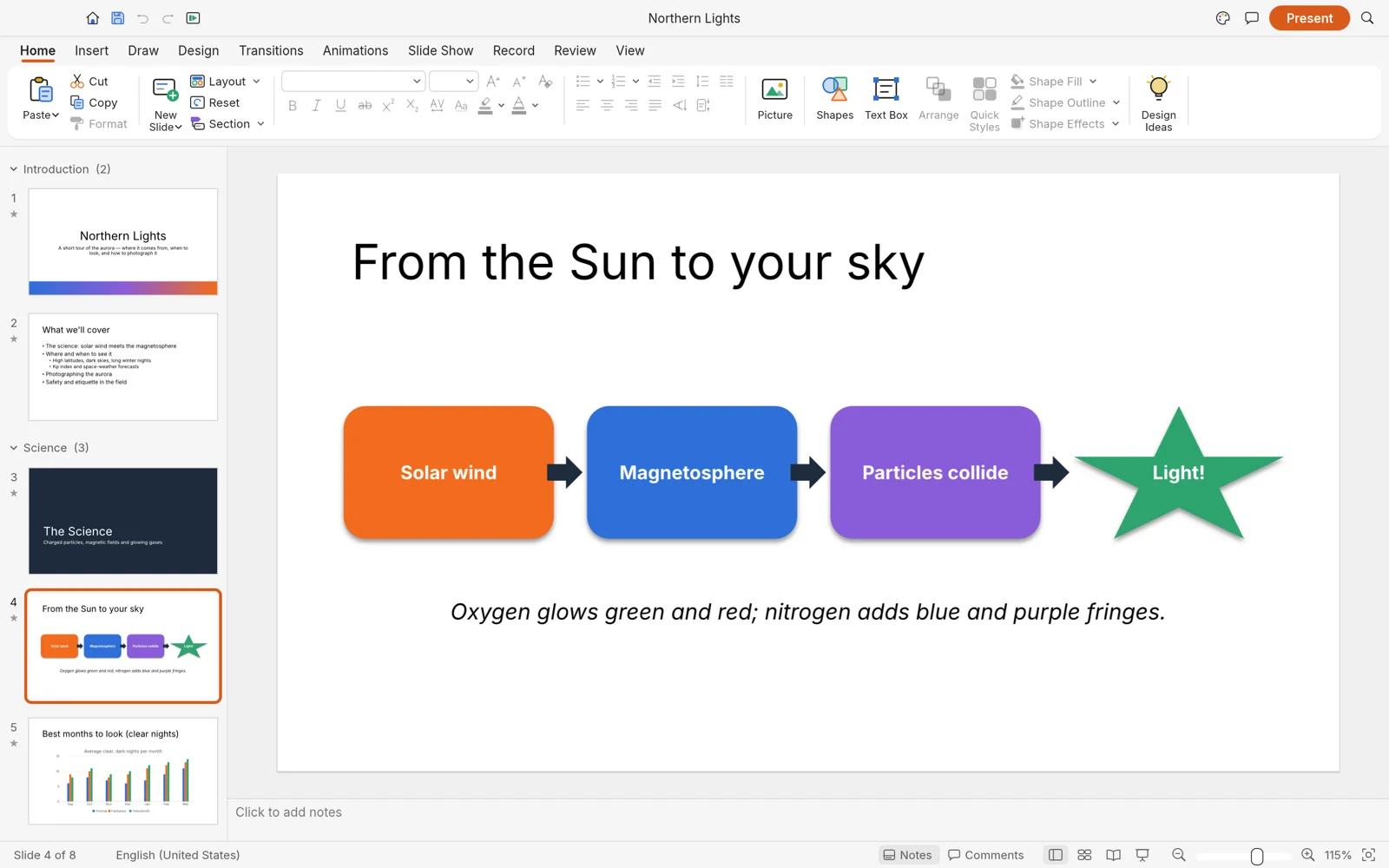
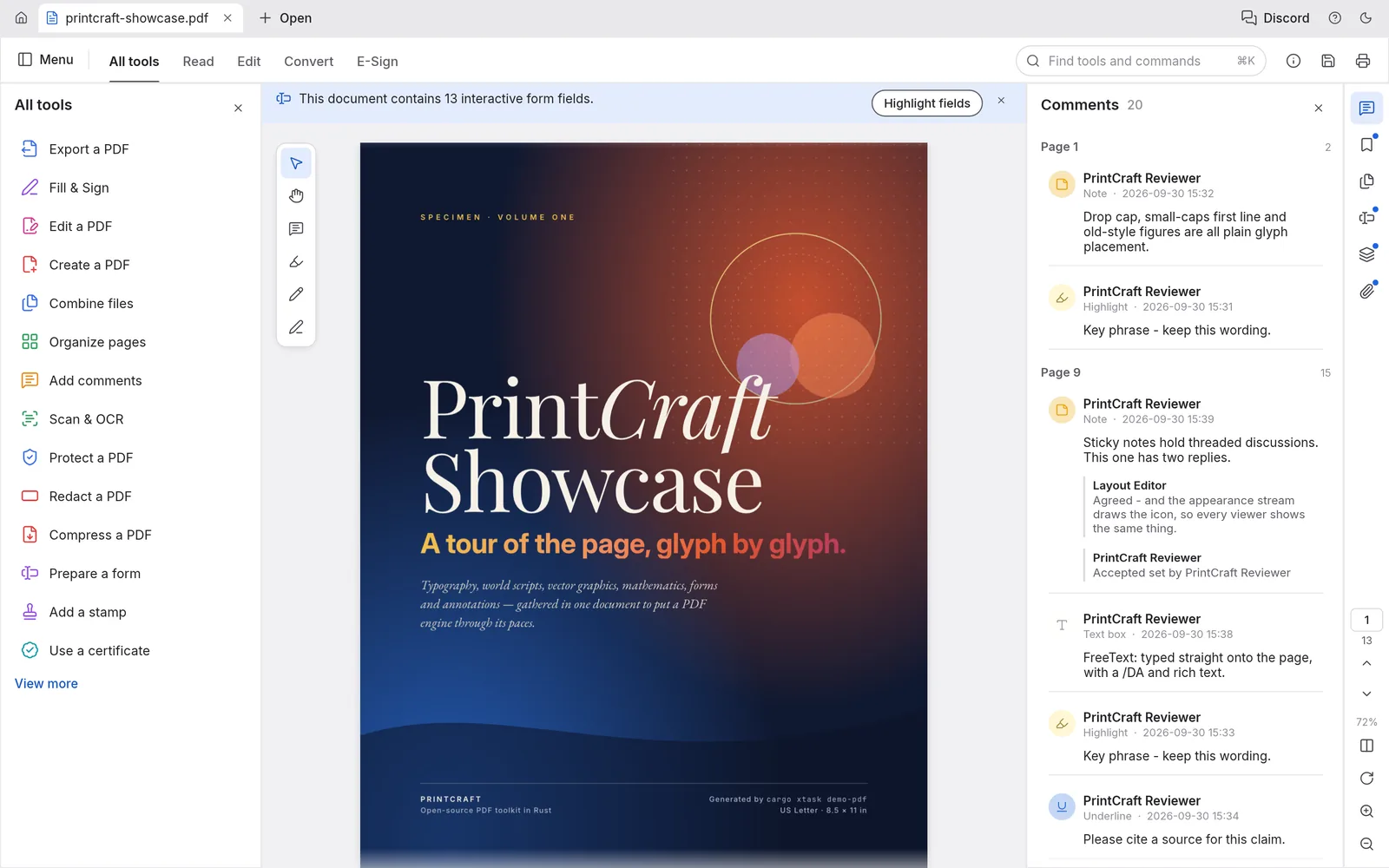
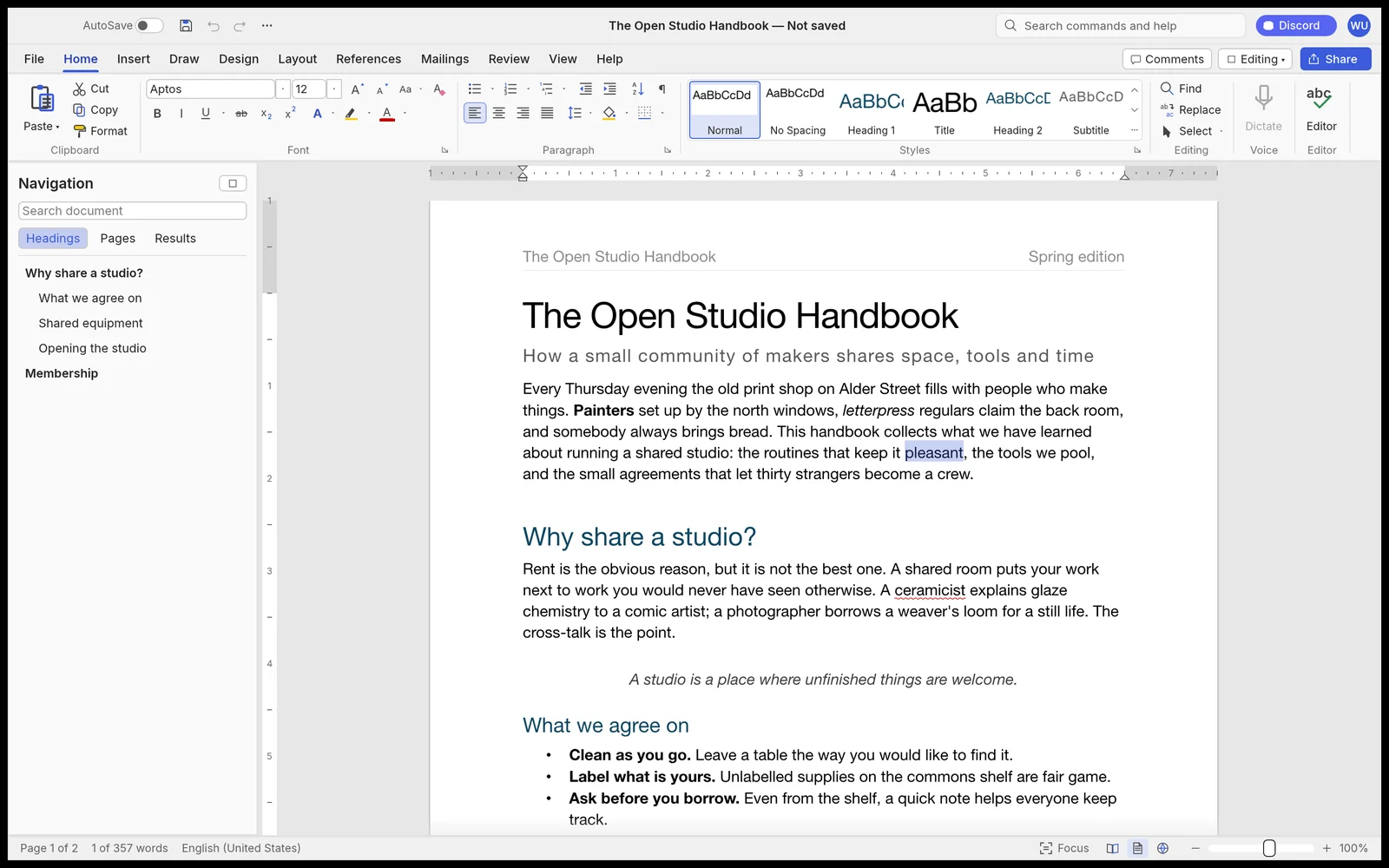
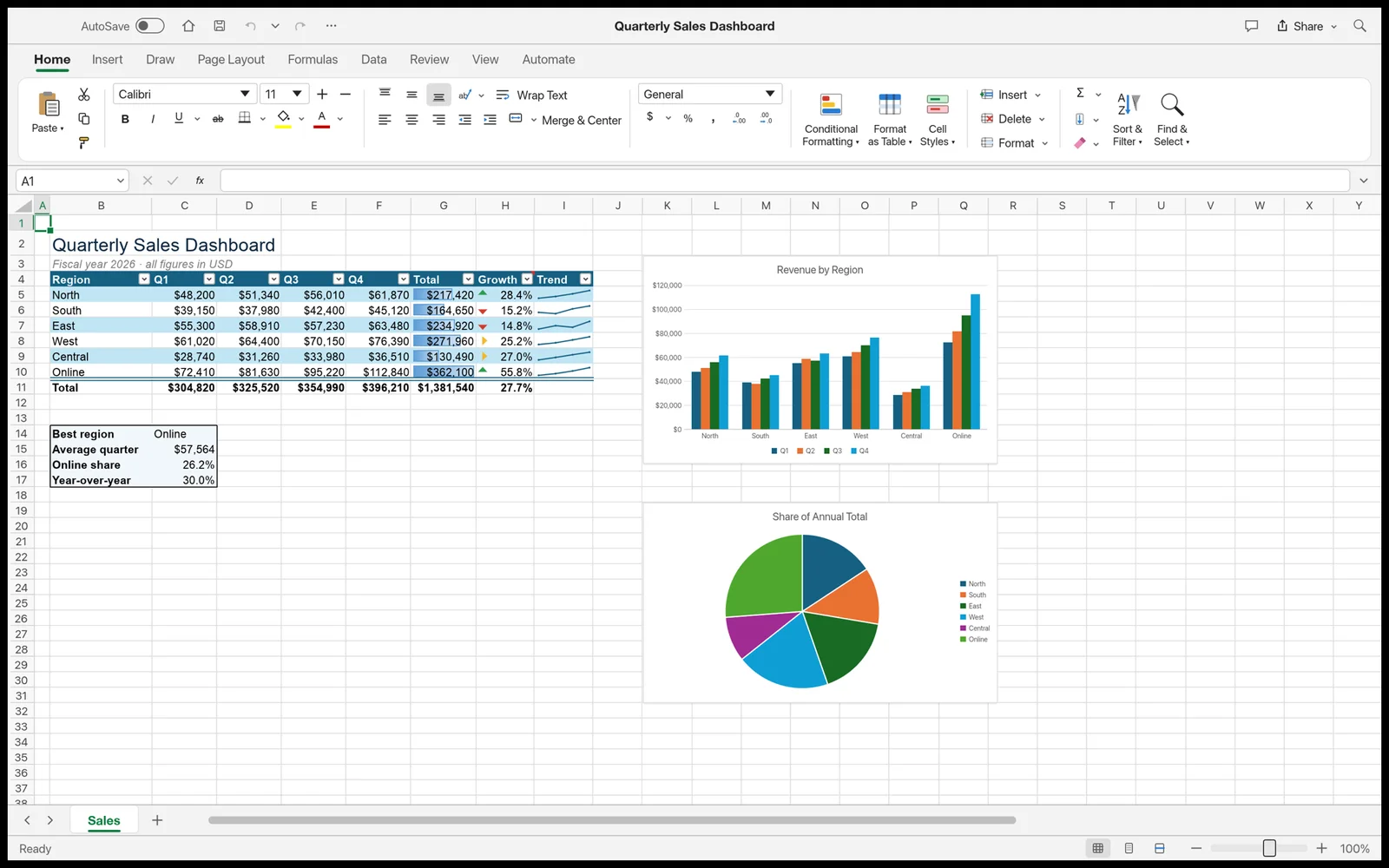
Documents, spreadsheets, presentations and PDFs. Each one is a complete app written in Rust and compiled for the browser, it opens standard files, and none of them phones home. Inside WorkCraft they share one project and one assistant. These screenshots come from the current releases.

WordCraft with the Home ribbon open over a two-page document
The Home ribbon over a two-page handbook, with the Navigation pane and live style previews.

Alphav0.11.0 · about 17 MB

WordCraft

Documents for letters, reports and handbooks.

  • Opens and saves .docx, .odt, .rtf, .md, .html and .txt
  • Exports PDF with real, selectable text
  • Spelling and grammar work offline

Screenshots © the WordCraft, GridCraft, DeckCraft and PdfCraft contributors, MIT OR Apache-2.0, from each app's repository.

AI that works in your files. Private by default.

The assistant is part of the workspace, not an add-on. It reads and edits your documents, sheets, slides and PDFs, shows every step, and can be undone. You choose where it runs: fully local with Ollama, or with your own key for DeepSeek, Claude, ChatGPT, Gemini and more. Switching the model never changes the apps or your files.

In WorkCraft 1.0
Your device
AppsDocuments, sheets, slides, PDFs
Assistantin the workspace
Your home network
Ollamayour desktop PC

Nothing leaves your computer or your network. Ollama answers locally, so it works offline and costs nothing per request; from the iPad, WorkCraft reaches it over your home network.

  • Local means local

    With Ollama, prompts and files never leave your machine. It runs air-gapped, needs no key and costs nothing per request. Local-only mode blocks every cloud provider with one switch.

  • Keys stay on your computer

    On the desktop, the local WorkCraft server keeps API keys in ~/WorkCraft/config.json, outside the browser. The interface only ever sees a masked hint, and a key is only sent to the provider it belongs to. In browser mode on the iPad, keys stay in memory until you reload.

  • Cloud is your choice

    With DeepSeek, Claude, ChatGPT, Gemini or your own endpoint, what you send goes straight to that provider and is listed in a local audit log. Everything you do not send stays with you.

Use the same tools from other MCP clients

WorkCraft serves every project tool at /mcp on your computer, and each app's command-line tool includes its own MCP server. Claude Desktop, Claude Code or any MCP client can use them.

claude mcp add --transport http workcraft http://localhost:5175/mcp
claude mcp add gridcraft -- gridcraft-cli mcp

iPad or desktop. Your files stay where they are.

  • Nothing to install

    The apps run in Safari on iPadOS and in current Chrome, Edge, Firefox and Safari on the desktop. A modern GPU path (WebGPU or WebGL2) is all they need.

  • No server in between

    You open files with the file picker or by dropping them in, and Save hands the file back to you. The standalone apps have no backend, so there is nothing to upload to.

  • Native when you want it

    The same apps ship as portable Windows builds for 64-bit, 32-bit and ARM64: unzip, run, done. Installers, macOS and Linux builds are on GitHub.

Prefer a real window? Take them with you.

Portable builds for Windows (64-bit, 32-bit and ARM64) run from any folder, a USB stick included. The web builds are static sites you can host on your own server or open on your home network.

Release versions on this page are checked live with apicraft, a small open API for GitHub releases, run at opencraft.cc. When a newer release exists, this page says so.

What's new in WorkCraft

WorkCraft workspacev1.0.0 · 2026-10-22

  • A new name and one clear idea: a unified, local-first workspace for documents, sheets, slides and PDFs
  • The AI assistant runs locally with Ollama, or with your own key for DeepSeek, Claude, ChatGPT and Gemini
  • New installs start with your own empty project; Load sample data opens a separate sample project
  • Data from earlier versions keeps working: folders, project history and browser settings carry over
Full release notes

An open roadmap, one usable step at a time.

WorkCraft starts with the apps people use every day and grows outwards. Each piece has to be stable before the next one begins, and the roadmap stays open: more apps and a wider ecosystem will join the same workspace and the same assistant.

  1. 00Available

    The apps, standalone

    WordCraft 0.11.0, GridCraft 0.12.1, DeckCraft 0.11.1 and PdfCraft 0.14.0, all in alpha. In the browser and on Windows, macOS and Linux today.

  2. 01In progress

    Workspace and the four apps

    One project on the device with WordCraft, GridCraft, DeckCraft and PdfCraft as panels of one window, each wired up through MCP.

  3. 02In progress

    AI assistant and agents

    The side chat and Full Chat Mode, working in the open project, with Team Mode for specialist agents in parallel.

  4. 03In progress

    Local models and providers

    Ollama for fully local work, plus DeepSeek, Claude, ChatGPT, Gemini and your own endpoints behind one interface, switchable at any time.

  5. 04The goal

    The complete workspace

    Documents, sheets, slides and PDFs next to a code editor, a terminal, your files and the assistant. One project, one window, one undo history, all on your device.

    What goes into it
  6. 05Planning

    More apps

    The ecosystem keeps growing past the first four apps: PhotoCraft for raster image editing, vector graphics, 2D and 3D modeling, CAD, and video on a timeline. Every new tool joins the same project and the same MCP workspace, so the assistant can drive it like the others.

One window. Everything the job needs.

Real work is rarely one file. WorkCraft 1.0 already puts documents, sheets, slides and PDFs side by side, next to a code editor, a terminal and Git for the moments you need them, and the assistant works across all of them through MCP.

The interactive preview of WorkCraft needs JavaScript.

A small working model of the workspace that runs on this page: open files, edit text, cells and slides, run help in the terminal or ask the assistant. Nothing is saved or sent. The real workspace runs on your computer at /ide/.
  • In WorkCraft 1.0

    Documents, sheets, slides, PDFs

    The four apps run as panels of one window and keep their state while you split, maximize or float them.

  • In WorkCraft 1.0

    Code, terminal and Git

    A code editor, a real terminal (PowerShell or Command Prompt on Windows) and Git, all working in the same project folder.

  • In WorkCraft 1.0

    AI across every file

    The assistant drives every tool through MCP, alone or as a team of specialist agents, local with Ollama or with your own key.

  • Planning

    More apps

    Image editing, vector graphics, 3D, CAD and video are planned for the same project, so the assistant can drive them like the others.

Before you ask.

Still unsure? Ask the chat in the corner, or write to us on the contact page.

Yes. The apps and WorkCraft are open source under MIT or Apache-2.0, at your option. There is no subscription, no licence server and no account. If you use a cloud AI model, that provider bills you directly for your API key.

Honestly? visoire, who started the project, and Claude, an AI model that writes a good part of the code and insists it never makes mistakes. "The team" sounds bigger than it is. WorkCraft is a community project, so anyone who tests, reports bugs or shares ideas is part of it too.

WordCraft, GridCraft, DeckCraft and PdfCraft are Crafting Apps by the ArtCraft team and contributors. WorkCraft, the community workspace around them, was made by visoire and is independent of the ArtCraft team.

Yes. Version 1.0 is open source on GitHub. It runs the four apps as panels next to a code editor, a terminal, Git and an AI chat, on your own computer with Node.js 20 or newer. Bringing in more creative tools, such as image editing, 3D and video, is the next part of the roadmap. There is no date for that yet.

On your device. The standalone apps open files through the browser's file picker and give them back as downloads when you save. In WorkCraft, every project is a folder in ~/WorkCraft on your computer. None of it is sent to us.

Yes. The apps run in Safari on iPadOS, and WorkCraft supports touch, Apple Pencil (pressure, tilt and hover), the Magic Keyboard and Stage Manager, with the apps rendered sharp at Retina resolution. Pair the iPad with WorkCraft on your desktop over Wi-Fi to use your desktop projects, terminal and Git, or use browser mode on the iPad alone, with projects stored on the iPad.

Yes, those are the native formats. The apps are in alpha, though, so complex files can still lose details on a round trip. Keep a copy of important originals.

Claude, ChatGPT, Gemini and DeepSeek with your own API key, local models through Ollama, and any OpenAI-compatible endpoint you add. Use one model for the whole chat, or switch on Team Mode and give each specialist agent its own.

On the desktop, the local WorkCraft server keeps them in ~/WorkCraft/config.json, and the browser only sees a masked hint. In browser mode on the iPad, keys stay in memory until you reload, unless you choose to keep them in the browser after a warning. A key is only ever sent to the provider it belongs to.

Try the apps and WorkCraft and tell us what breaks, send ideas through the contact page, or open an issue or pull request on github.com/visoire/workcraft. Fixes to the apps themselves go to their own repositories under github.com/storytold.

Want to hear about new releases? We write once per milestone.

One email per milestone on the roadmap, nothing else. For questions or bug reports, use the contact page.

What should we tell you about?

0 / 2000